FAYBL's AI Assistant is built around an LLM based Chat model. If you have a mobile phone and have used SMS, any chat product such as Blackberry Messenger, Whatsapp, iMessages, or any other messenger. Then you'll be familiar with the user experience.
By harnessing advanced natural language processing and machine learning algorithms, the Assistant engages in human-like conversations, answers questions, and assists with a wide array of tasks. As these tools continue to evolve, adopting the right attitude and approach can unlock their incredible value.
However we've extended it several ways: with its ability to join meetings and do transcription and be live during the meeting, specialised targetting of various knowledgebases targetting in particular financial services and wealth management, geolocating to sharpen results based on where you are, robotic procsse automation (RPA) with RIPPER, document management, and many more features all to bring to you the right Assistant for you.
These tools are as good as how you use it. if you approach the AI Assistant with skepticism or a mindset geared toward failure, you may miss out on its full potential. But if you approach it as something new, then we're sure that you'll find as we have that it can be extremely powerful and change the way you work for the better.
In this guide, we’ll walk you through the steps to effectively utilize your LLM-based Chat Assistant.
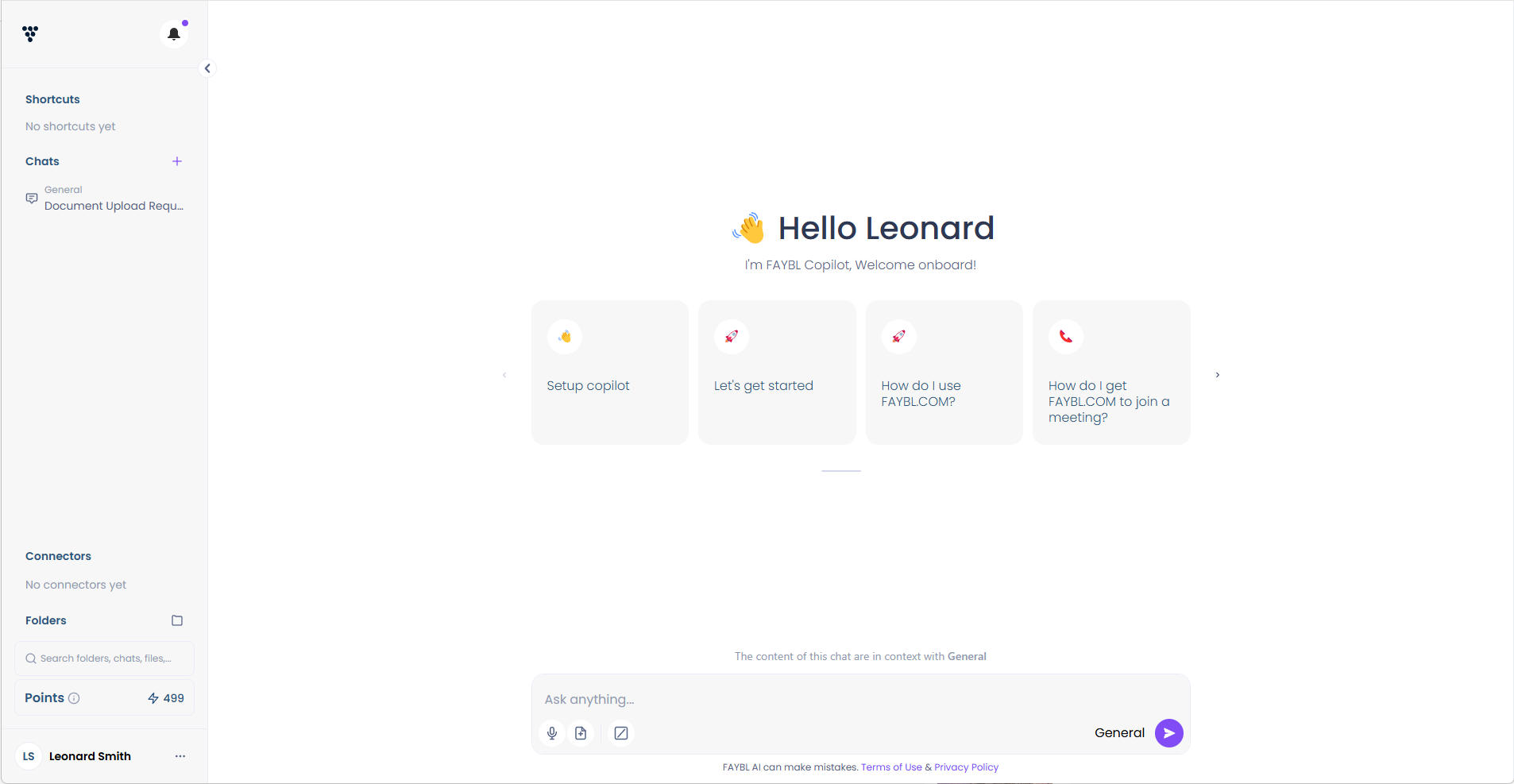
¶ Interacting with the AI Assistant
To use the Assistant:
- Start Typing: In the chat window, begin typing your message or question to the Assistant. The Assistant will analyze your input and provide a relevant response.
- Use Natural Language: Communicate with the Assistant using natural language, just as you would with a human. The Assistant is designed to understand and respond to conversational queries.
- Ask for Clarification: If you're unsure about the Assistant's response or need more information, feel free to ask for clarification. The Assistant will provide additional details or rephrase its answer.
- Provide Context: The more context you provide, the better the Assistant can understand your needs and provide accurate assistance. Include relevant details about your task or query.
- Refine Your Requests: If the initial response doesn't fully address your needs, refine your request or ask follow-up questions. The Assistant will learn from your feedback and provide more targeted assistance.
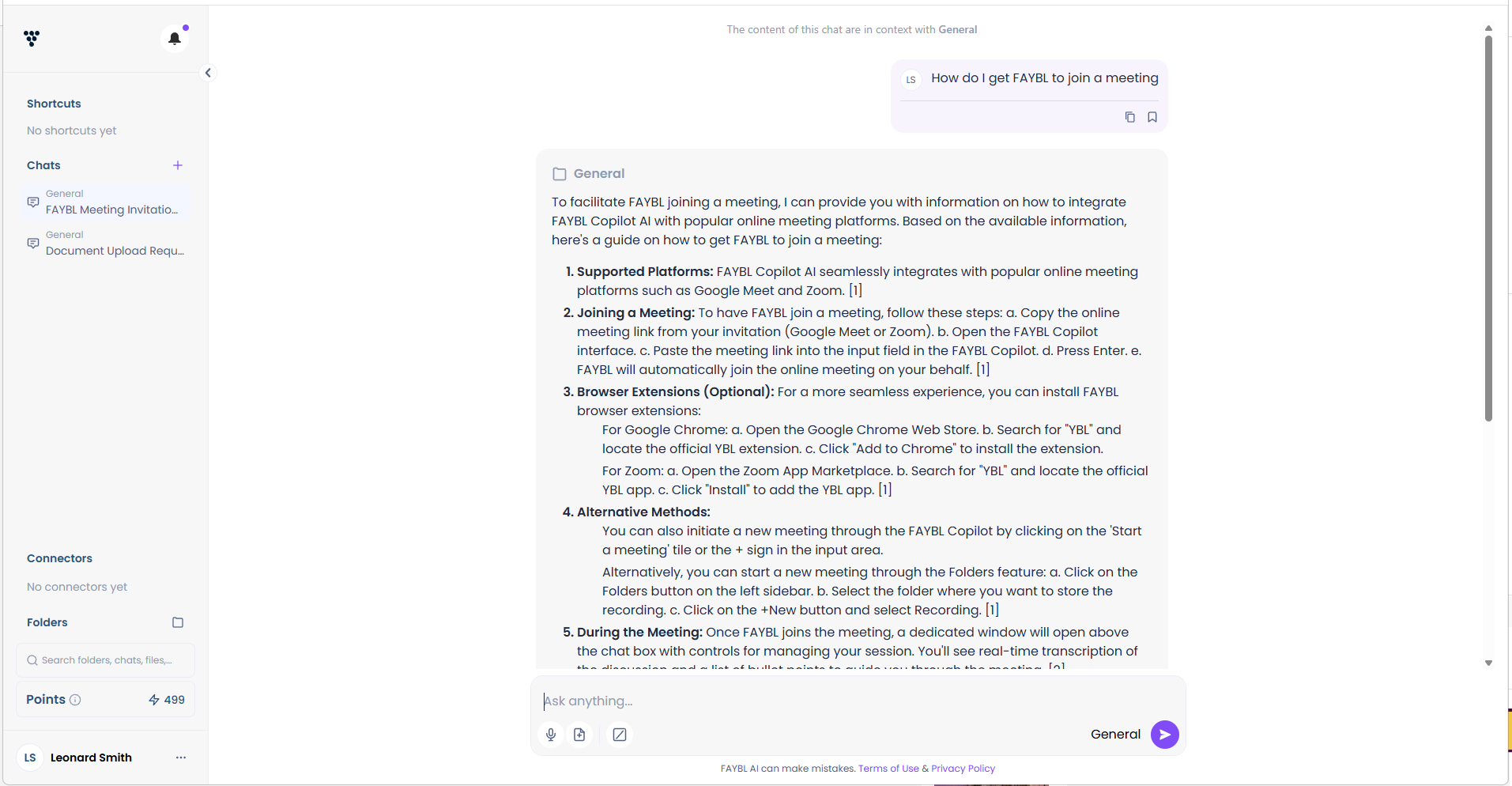
¶ Utilizing the Assistant's Capabilities
LLM-based Chat Assistant are versatile tools that can assist with various tasks. Here are some examples of how you can leverage the Assistant's capabilities:
- Writing and Editing: Use the Assistant to help with writing tasks, such as drafting emails, articles, or reports. It can provide suggestions for improving grammar, clarity, and structure. You can enter into the chatbox some text, or some bullet points, and ask the Assistant to turn your bullet points into a letter or a full report.
- Research and Information Gathering: Ask the Assistant to gather information on a specific topic or provide an overview of a subject. It can quickly synthesize relevant data from various sources.
- Upload and analyse a PDF. Talk and converse with it. Use the results to
- Use RIPPER, to call or operate another system.
- Task Planning and Brainstorming: Collaborate with the Assistant to break down complex tasks into manageable steps or generate ideas for a project.
- Code Generation and Debugging: If you're a programmer, the Assistant can assist with writing and debugging code, explaining programming concepts, and suggesting solutions to coding problems.
- Language Translation: The Assistant can translate text between languages, making it easier to communicate with people who speak different languages.
- Data Analysis and Visualization: Ask the Assistant to analyze data sets, identify trends, and create visualizations to help you better understand and communicate insights.
- Personal Assistance: Use the Assistant as a personal assistant to help with scheduling, task management, and answering general questions.
¶ Best Practices for Effective Use
To get the most out of your LLM-based Chat Assistant, consider the following best practices:
- Be Clear and Specific: Provide clear and specific instructions or questions to the Assistant. The more precise your input, the better the Assistant can understand and assist you.
- Break Down Complex Tasks: If you have a complex task, break it down into smaller, more manageable steps and address them one at a time. This helps the Assistant provide more focused and accurate assistance.
- Provide Context: As mentioned earlier, providing relevant context helps the Assistant understand your needs better and tailor its responses accordingly.
- Be Patient and Iterative: The Assistant may not always get it right the first time. Be patient and refine your requests or provide feedback to help the Assistant learn and improve its responses.
- Respect Intellectual Property: When using the Assistant for research or writing tasks, be mindful of intellectual property rights and avoid plagiarism. Always cite sources and give credit where due.
- Maintain Privacy and Security: Be cautious when sharing sensitive or personal information with the Assistant. Ensure that you're using a secure connection and that the Assistant's privacy policies align with your needs.
- Provide Feedback: If you encounter any issues or have suggestions for improving the Assistant's performance, don't hesitate to provide feedback to the service provider. Your input helps enhance the Assistant's capabilities and user experience.
- Prompt Engineering. If you want to take your usage to the next level, there is a universe of ways to get a better and more honed response out of your Assistant. This is called Prompt Engineering. For a full guide, see the section in the Wiki called "Prompt Engineering".
¶ The Importance of the Context Window
In an LLM-based chat, the content in the context window is crucial for ensuring accuracy, relevance, and quality of results.
This window provides the AI with background information and specific details about your request, helping it understand your needs better. When the context is clear and well-defined, the AI can generate more precise and relevant responses, leading to higher-quality interactions. By utilizing the context window effectively, you enhance the AI's ability to deliver insightful answers, making your experience more productive and satisfying.
With FAYBL, by default, your chats are put in a "General" folder. And the context for each chat, is confined to each Chat. If you add files, pull out information with RIPPER, analyse PDFs, use each Chat more, the AI will refer to all of that information when you task it to do anything. A good example of this is if you upload a PDF or use RIPPER to get information from a system, that information will be in "Context", and then you can operate another system and put information into that system. Or write a report, or letter, or many other things.
If you go to a specialised folder, and then you start a Chat, then everything in that folder will be in Context. If you have several chats in that folder, they will all be in Context. This can be very powerful in circumstances where you have dozens of meeting notes, client documents, and prior queries. All this information will be available to you when are in a Chat. This can be very powerful when you are say, creating a financial plan, preparing a meeting agenda, or trying to write a letter to someone.
For examples of how this works, have a look at the How To section of this Wiki.
¶ Limitations and Considerations
While LLM-based Chat Assistant are powerful tools, it's important to be aware of their limitations and potential risks:
- Accuracy and Reliability: The Assistant's responses are based on patterns in the training data and may not always be 100% accurate or reliable. Always verify important information and decisions.
- Bias and Fairness: LLMs can reflect biases present in their training data. Be mindful of potential biases in the Assistant's responses and avoid relying on it for sensitive decisions.
- Intellectual Property and Copyright: The Assistant may generate content that infringes on copyrights or intellectual property rights. It's your responsibility to ensure that you're using the Assistant legally and ethically.
- Privacy and Security: While service providers strive to maintain privacy and security, there are always risks associated with sharing information online. Be cautious when providing sensitive data to the Assistant.
- Evolving Capabilities and Limitations: LLM-based Chat Assistant are rapidly evolving, and their capabilities and limitations may change over time. Stay informed about the latest developments and updates.
¶ Summary
LLM-based Chat Assistant offer a powerful and versatile way to enhance your productivity and streamline your workflow. By following the steps outlined in this guide and adhering to best practices, you can effectively leverage the Assistant's capabilities to assist with a wide range of tasks. Remember to use the Assistant responsibly, be aware of its limitations, and provide feedback to help improve its performance.